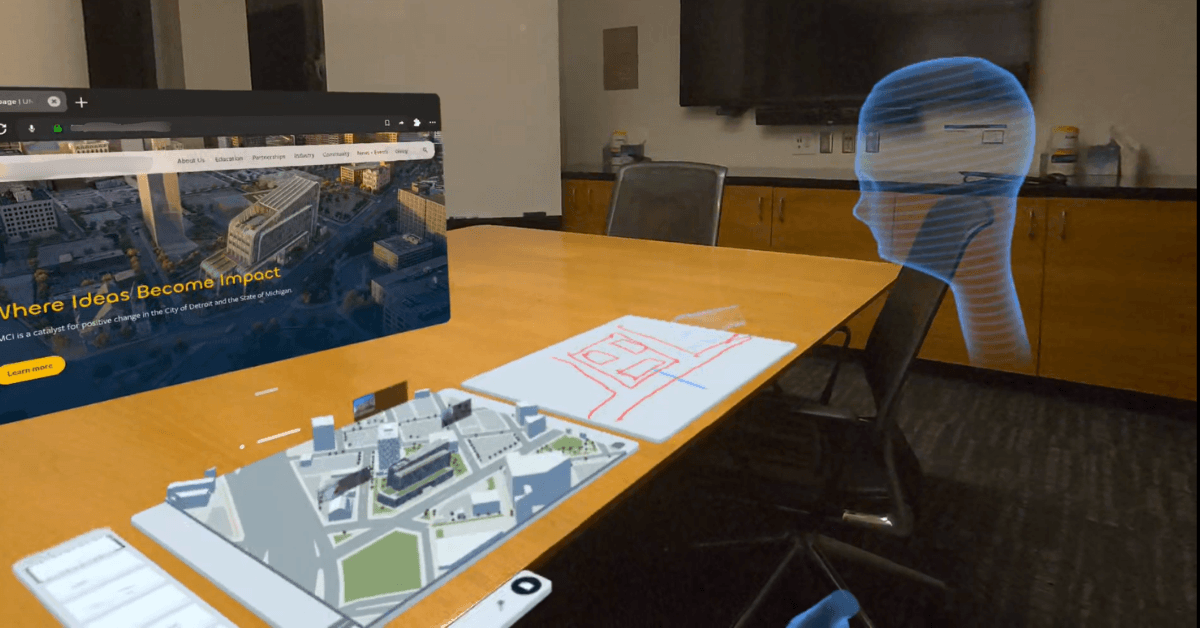
We are excited to share that OXR has officially entered the 2026 Meta VR Start Developer Competition, joining a global community of developers building the next generation of immersive experiences.
At the time of our submission, the competition had attracted 7,244 participants and 2,105 project submissions. While the outcome remains uncertain, we see this competition as a valuable opportunity to challenge ourselves, refine our technology, and demonstrate what spatial productivity can look like beyond traditional screens.
OXR is competing in the Best Adapted / Significantly Updated Productivity Experience category, reflecting our commitment to transforming XR from a standalone immersive experience into a practical tool for everyday presentation, communication, and collaboration.
Making Spatial Productivity More Intuitive
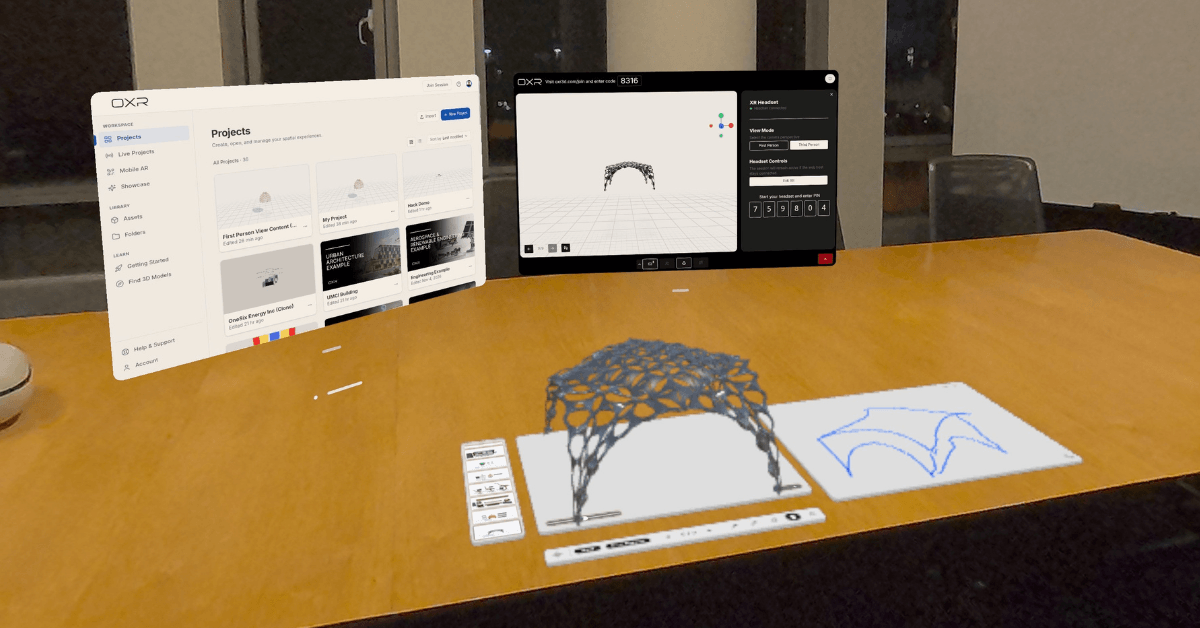
OXR is a cross-device spatial presentation platform that enables users to create, present, and collaborate with interactive 3D content across web browsers, mobile devices, and XR headsets. Our vision is to make creating spatial experiences as intuitive as building slides and joining them as seamless as a Zoom meeting.
In preparation for the competition, our team has made several significant advancements to the platform:
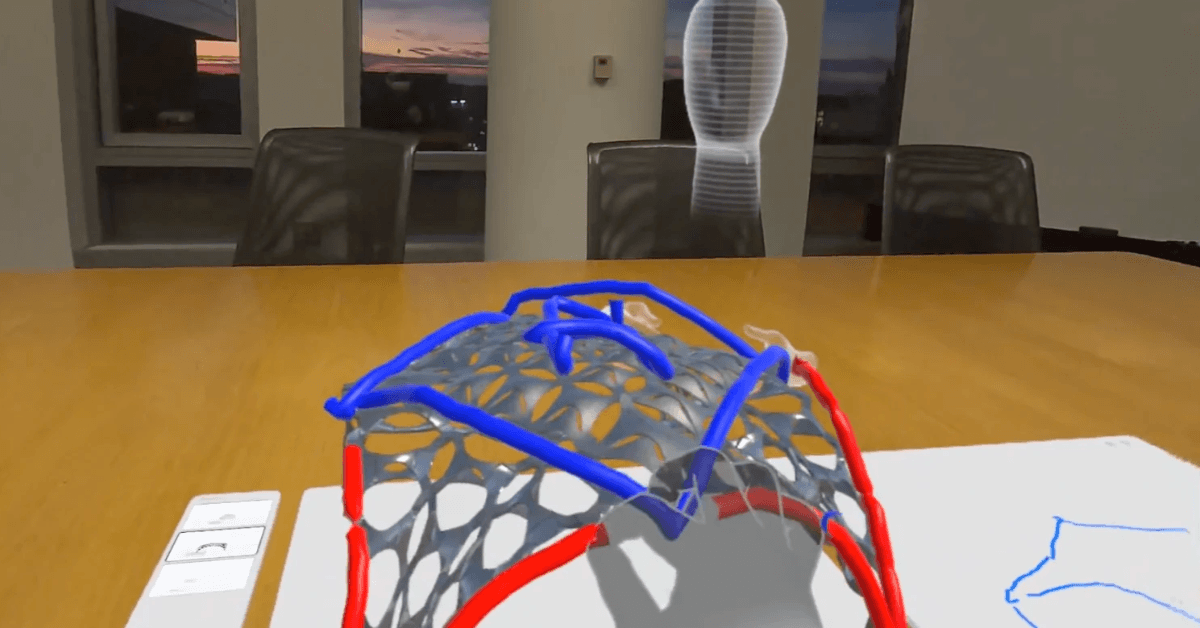
Native Hand-Tracking Interactions: A fully controller-free experience that allows users to directly grab and manipulate 3D objects, create spatial annotations, draw on the tabletop whiteboard, and use spatial pointers to guide participants' attention—all through natural hand interactions.
Tabletop Experiences: Designed for the future of spatial meetings, OXR maps 3D content onto physical tables, creating a contained workspace with natural tactile feedback. Dedicated tabletop interactions include intuitive slide navigation and a shared spatial whiteboard where users and remote colleagues can draw and collaborate in real time.
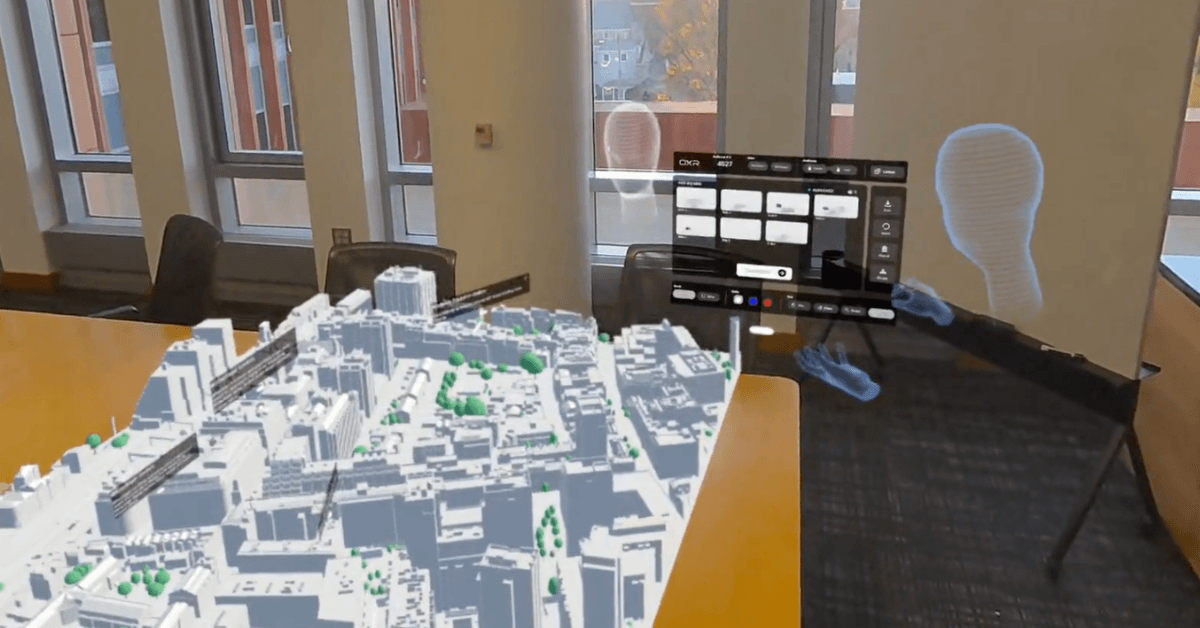
Full-Space Presentations: An immersive presentation environment designed for large-scale content, including architectural spaces, engineering systems, and industrial equipment.
Spatial Collaboration and Telepresence: Spatial avatars capture participants’ head, hand, and controller movements, making remote collaboration more intuitive. Natural gestures and visual cues enable more direct communication, spatial referencing, and interactive discussions.
Local Presentation Access: The ability to save spatial presentations directly onto XR devices for future access.
These improvements represent an important milestone in our ongoing effort to make spatial computing more natural, accessible, and productive.
Beyond the Competition
Regardless of the competition's outcome, the development process itself has been incredibly rewarding. It has encouraged our team to rethink existing interactions, explore new presentation paradigms, and push the boundaries of what OXR can offer.
These advancements are not simply features built for a hackathon. They are part of our broader product vision to establish OXR as an everyday spatial productivity platform, supporting applications across education, architecture, engineering, industrial training, and enterprise collaboration.
Experience the Hackathon Version of OXR
The hackathon edition of OXR is now available through OXR Meta Quest private release channel. We invite everyone interested in spatial productivity to experience our latest features ahead of our official public launch.
Getting started is simple:
Join the Private Release Channel: Click "Join" and sign in using the Meta account associated with your Meta Quest headset.
Access OXR on Your Headset: Once you join the release channel, the OXR hackathon build will automatically become available in your headset's app library for installation.
Create a Free OXR Account: Sign up for a free OXR account to start creating spatial presentations and exploring the latest XR experiences.
We welcome you to try our latest features, explore the possibilities of spatial productivity, and share your feedback with our team as we prepare for our official public launch.
Video Demo: https://www.youtube.com/watch?v=kYBWHzsloe8
Link to Full Devpost Submission: https://devpost.com/software/oxr