
University of Michigan
EDUC 601 · XR Pedagogy
%
of XR lessons independently designed & delivered
Validated accessibility for non-technical educators
OXR turns lessons into immersive 3D spaces your students step into together — live from any browser, embedded in your LMS, or fully immersed at your learning centers.
Host-controlled sessions for up to 30 participants. Students join in seconds with a 6-digit PIN from any browser or phone — you advance scenes, direct every viewpoint, and keep the whole class literally on the same page.
Join time: under 30 seconds
Embed lessons directly into Canvas, Moodle, or any LMS. Embeds sync automatically when you edit, and built-in analytics show views, clicks, and time spent — real engagement data, not guesswork.
Works in any LMS that accepts an embed
For hybrid networks with learning centers or labs: save lessons to XR headsets for fully offline, self-guided exploration. No Wi-Fi needed, zero setup between students.
The browser covers everything else
Experience an interactive 3D project and copy the embed code to add it directly to your website or LMS, no plugins or coding required.
Interact with a real OXR project, then copy the embed code below to drop it into your own site or LMS.
<iframe src="https://oxr3d.com/embed/S8mQWDUuwZ" loading="lazy" allowfullscreen allow="accelerometer; gyroscope; xr-spatial-tracking; fullscreen" style="width:100%;aspect-ratio:16/9;border:none;border-radius:8px;"></iframe>
Change a lesson in OXR and every LMS embed reflects it instantly — no re-exporting, no re-uploading, no stale copies drifting across course shells.
Real results from educators and organizations using OXR to create meaningful, accessible learning experiences.
EDUC 601 · XR Pedagogy
of XR lessons independently designed & delivered
Validated accessibility for non-technical educators
Anatomy & Physiology · 4 classrooms
found OXR effective for learning
want OXR in future courses
Global Educators Workshop · NGO
educators & site managers engaged globally
interested in follow-up pilots
Whatever device a student has — school Chromebook, family laptop, their own phone — they're in the same lesson as everyone else.
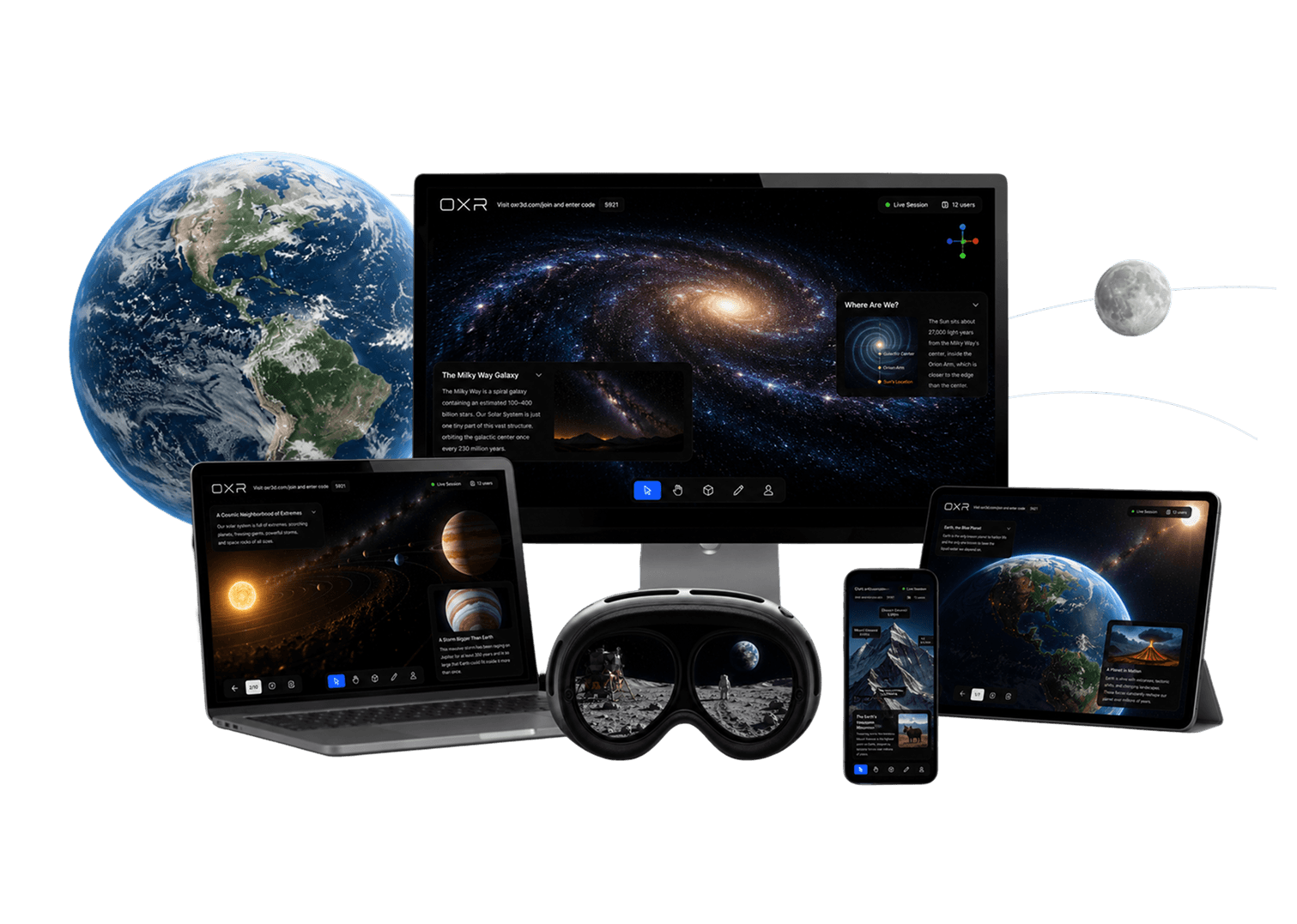
Instant access in any modern browser.
Join from anywhere, hold the lesson in your hand.
Touch, tilt, and explore in more detail.
Full immersion at centers and labs — never the price of admission.
Teacher Lift
“If your teachers can build a slide deck, they can build a spatial lesson.”

The entire experience was amazing. It was great bringing things to life and being able to really capture our imagination, and just a few clicks, and it was so user friendly, so easy I would definitely look forward to bringing this back to my youth!
I had a great experience using OXR. The platform fits naturally into students' learning journeys by aligning with how they think, making complex concepts more intuitive, engaging, and easier to understand.
It was wonderful being able to pilot your OXR for teaching and learning. Your software is pushing the status quo in K–12 educational spaces and bringing innovative experiences to teachers and students!
It was so easy to join with a four-digit code and instantly see the experience from my computer. I think it's amazing.
A semester pilot is scoped to your teachers, sites, and students — and designed to answer one question: where does immersive learning add the most value in your model?
Teacher, site, and student tiers matched to your enrollment.
Every cohort teacher leaves with a working draft lesson.
Professionally built with your course leaders, ready to teach.
Bi-weekly drop-ins, emergency live-session support, and a written agreement covering access, response times, and data export.
Engagement data aligned to your measurement plan.
No. Every lesson runs in the browser on the devices students already have. Headsets are an optional layer for learning centers and labs.
We believe the future of education is experiential. We’re here to give educators and students the tools to create meaningful, hands-on learning experiences together.